
Video lessons
One idea at a time, explained with an everyday analogy, then coded live so you can follow along.
Course 1 of 6 · Start here
Code Your First Real Programs
Never written code before? Start here. Learn Python one small program at a time, with everyday analogies, live coding and practice after every new idea, then plan, build and test your own quiz app.
Free preview lesson 3.2: Making a decision with if and else (10 min)
What you will learn
Who it is for
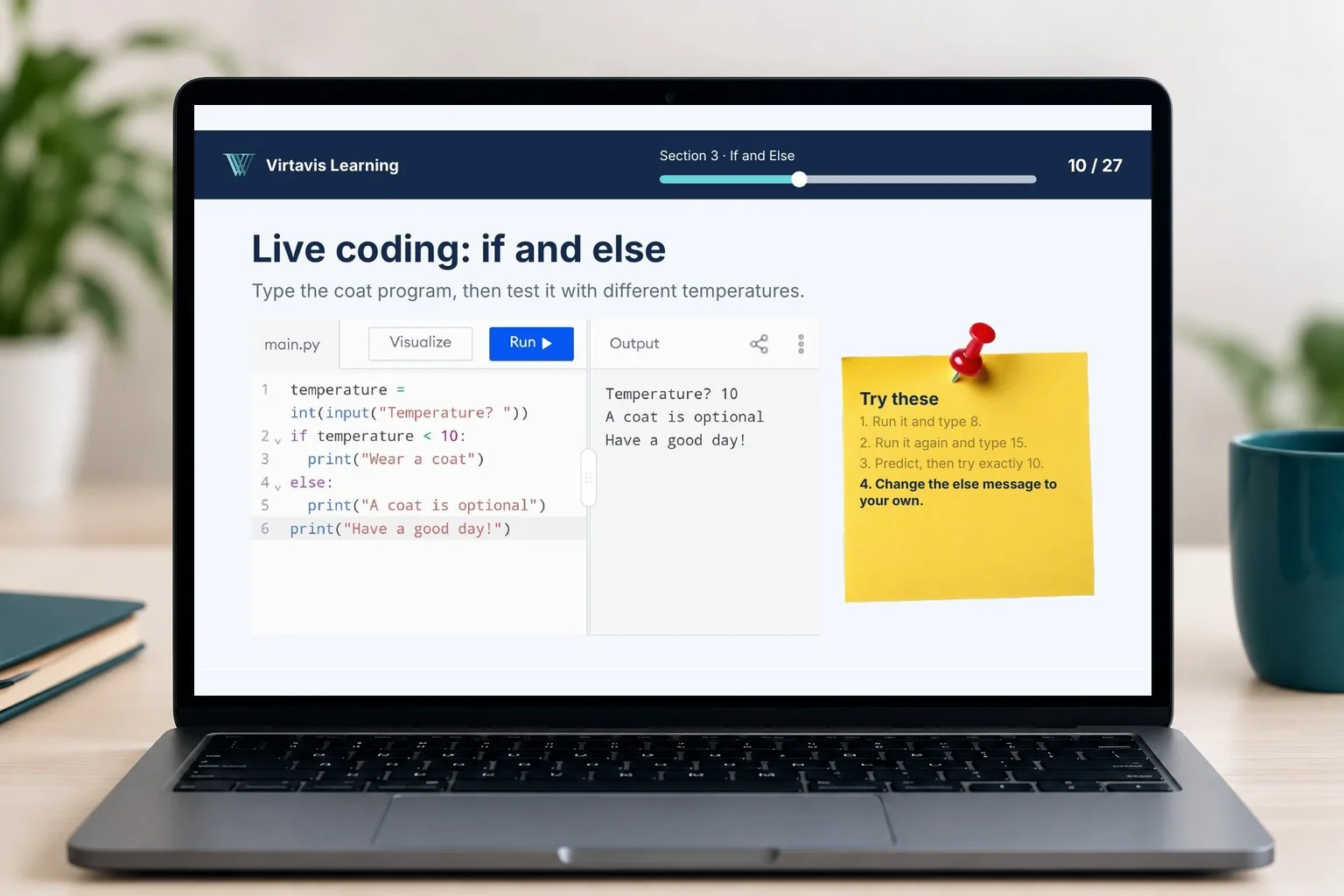
A computer with internet access. You code in Programiz, a free online editor, so there is nothing to install, or you can use any Python 3 editor you prefer. No coding experience is needed.
What's included
One idea at a time, explained with an everyday analogy, then coded live so you can follow along.
A handbook to keep open as a quick reference, and a workbook activity for every lesson.
A 10-question knowledge check at the end of each section.
An independent challenge in every section with a starter file, tests and a simple marking rubric, then a separate solution video.
Build a personal introduction, a bill and tip calculator, a ticket price adviser, a guessing game, a task list, a reusable calculator and a repaired score report.
Learn to check your own programs with test tables and to read error messages calmly.
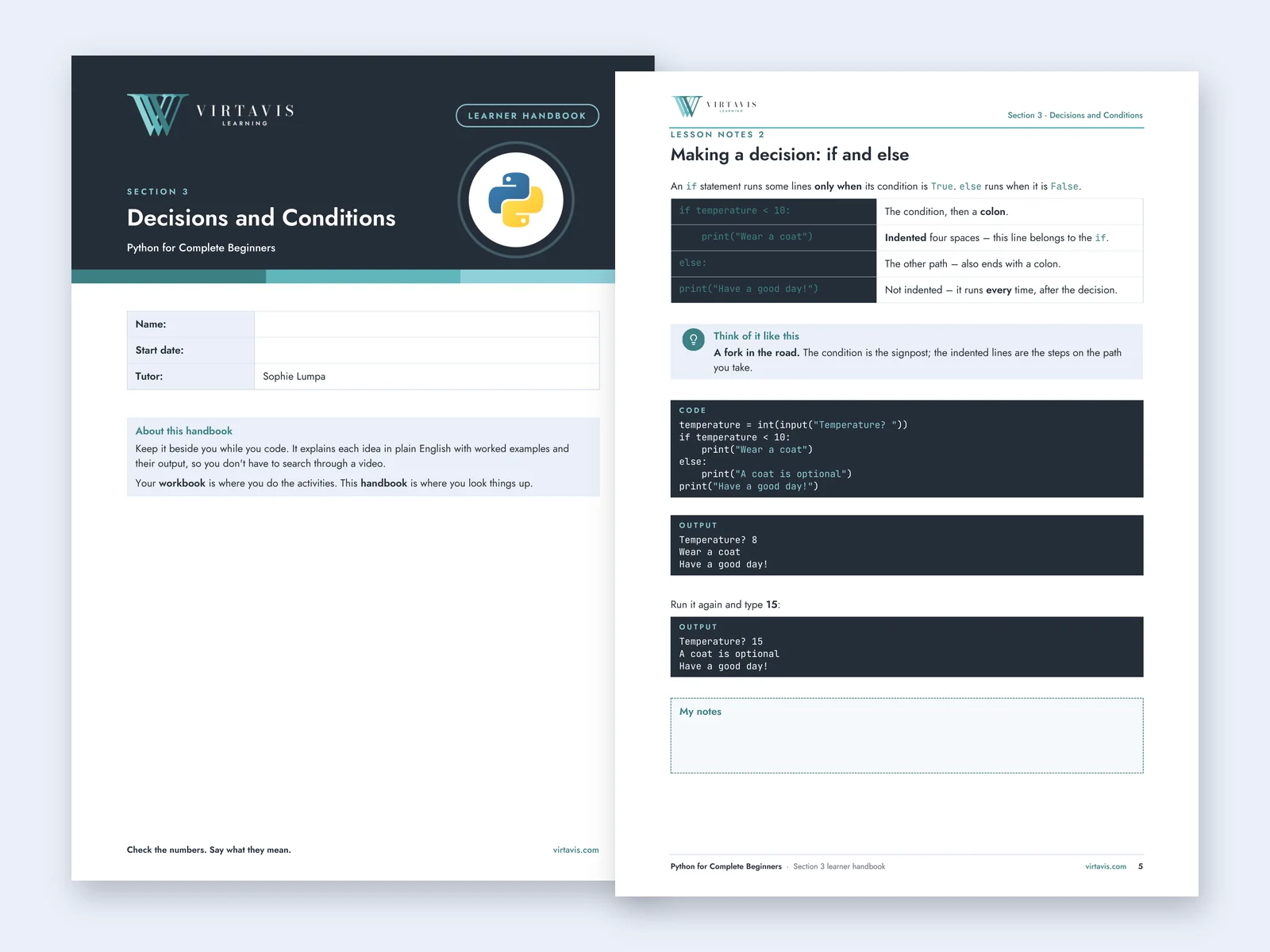
Inside the handbook
Each section has a handbook with plain-English explanations, worked examples and a quick reference, plus a workbook for your practice activities.
Shown: the Section 3 cover and the page on making a decision with if and else.
Course content
Print messages, add comments, store information in variables and ask the user for input.
Work with text and numbers, convert input, calculate, round and format money.
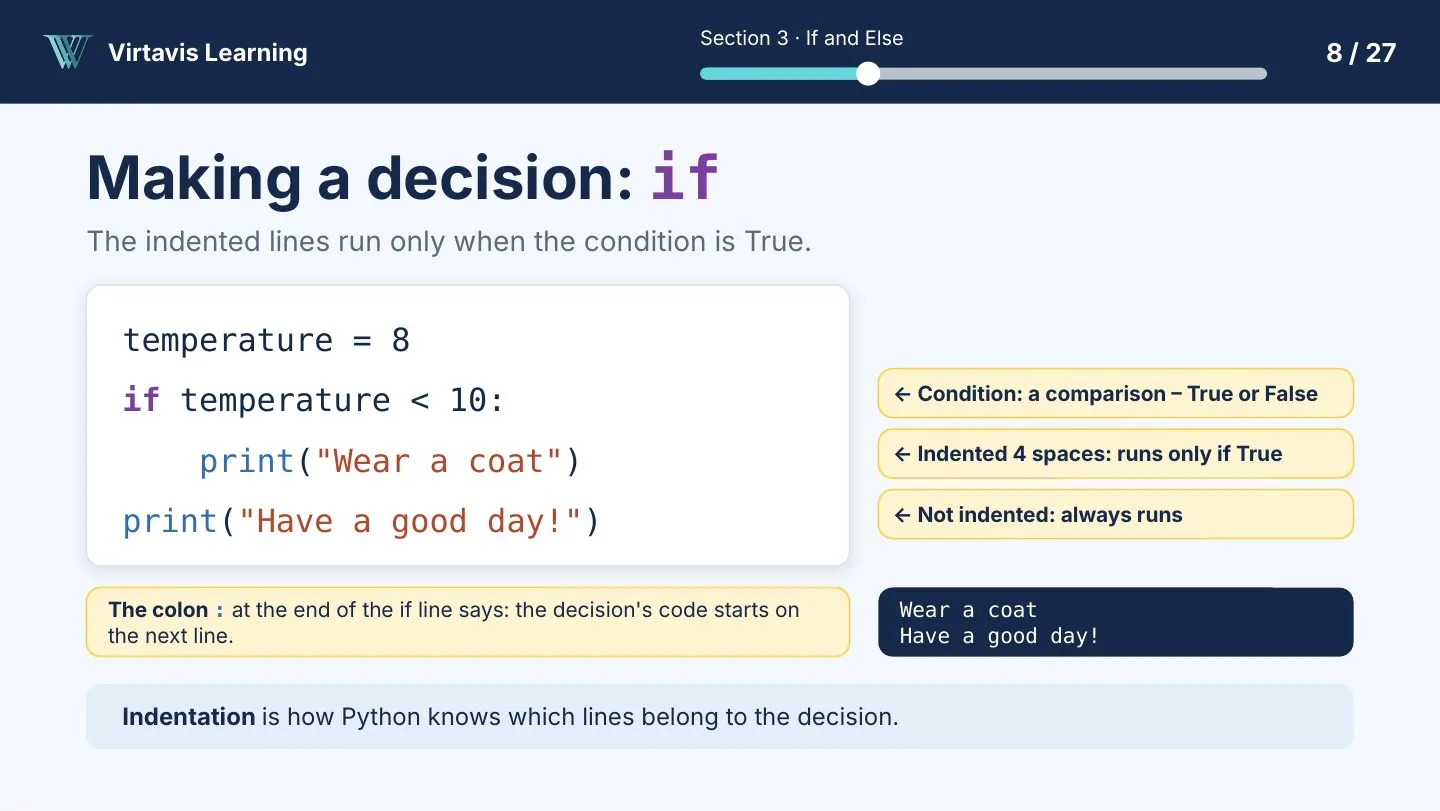
Make choices with if, elif and else, tidy text answers and test the boundaries.
Repeat work with for and while, keep counters and running totals, and stop safely.
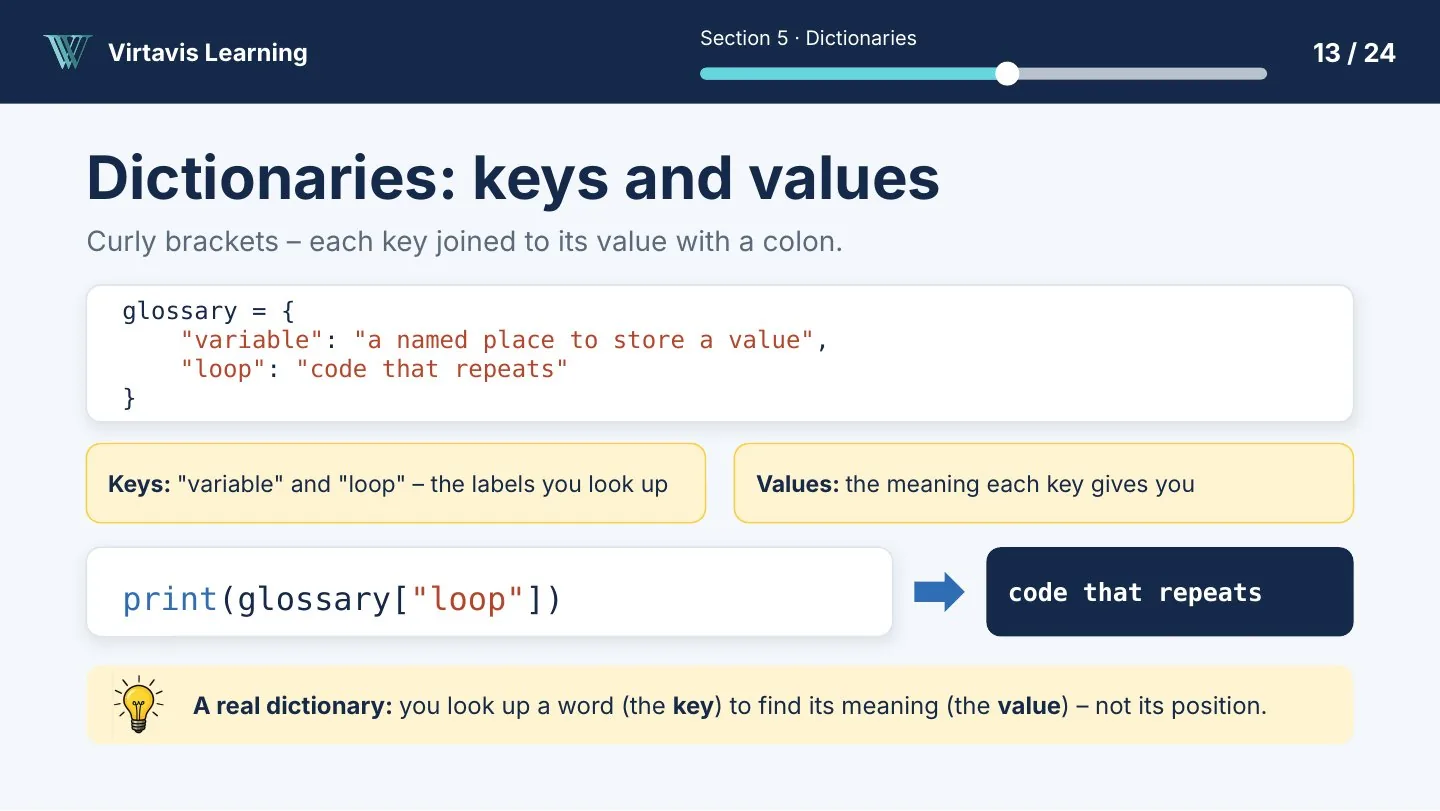
Store many values, change them, and loop through lists and dictionaries.
Define and call functions with parameters and return values, and reuse them.
Read error messages, use test tables, debug step by step and validate input.
Plan, build in milestones and test your own interactive quiz app.
In Section 8 you plan, build and test an interactive quiz app on your own: a question bank, scoring, feedback, input validation and a test table. You finish with a working program you built yourself.
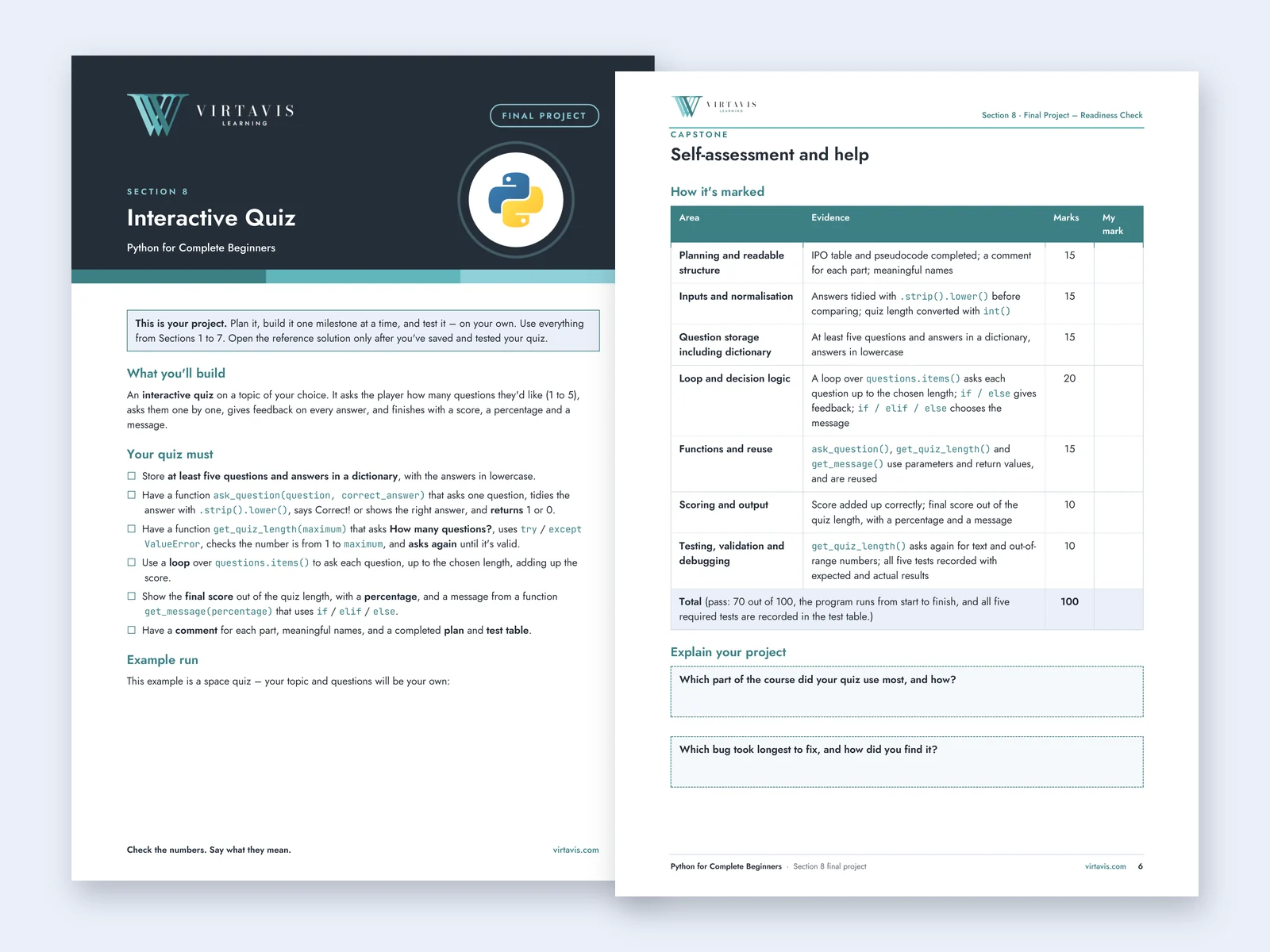
See inside the course
Explore slides from the actual lessons, including the live demonstrations. Click or tap any image to see it full size.
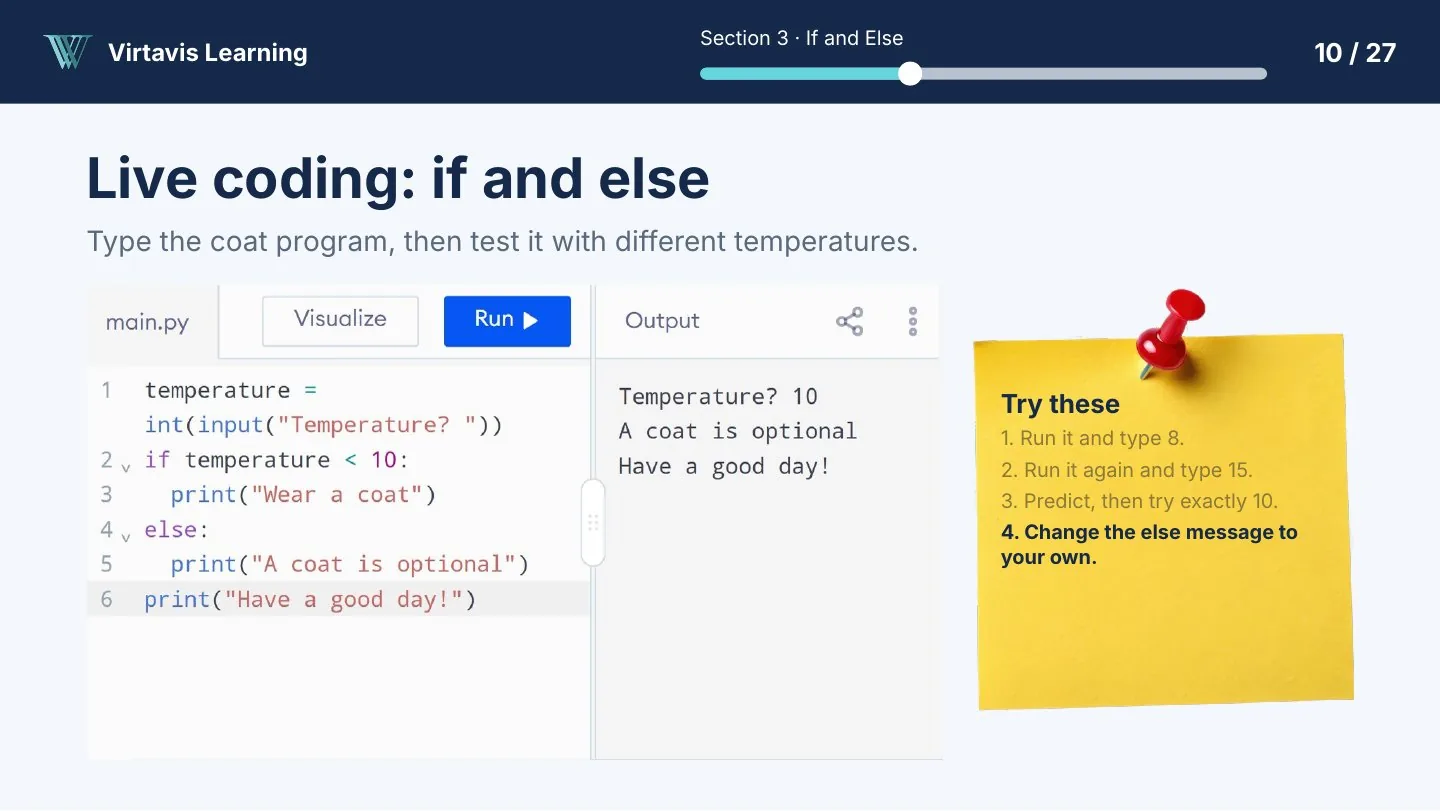
How every lesson works
No jargon without an explanation and no skipped steps. Common errors are shown and fixed on screen.
Watch the free preview ›
Created by Virtavis Learning
Data and Business Intelligence Specialist, founder of Virtavis Learning
Sophie Lumpa created this course and its step-by-step approach, so every new idea is explained, shown and practised straight away. The Virtavis teaching team provides additional training and learner support through the Bootcamp and live cohorts.
On the pathway
Questions
If your question isn't answered here, send it to us and the Virtavis team will reply by email.
Contact us ›Coming soon
Python for Complete Beginners is in Udemy’s final review. Leave your name and email and we’ll send you one message with the link as soon as it’s live. Signing up doesn’t commit you to anything.
Want to practise while you wait? Get the free starter kit.
See how the lessons work before you choose.